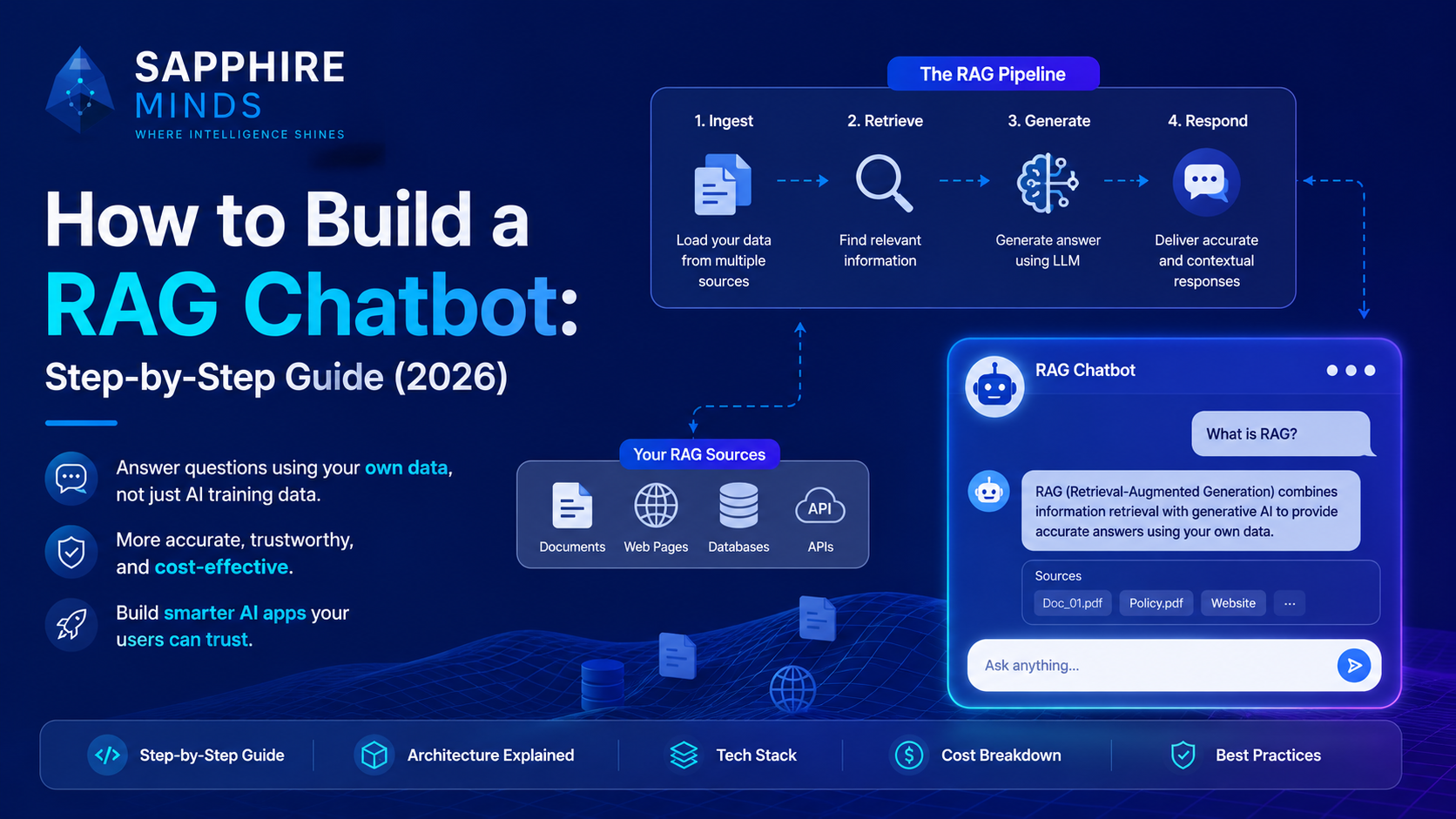
A RAG chatbot (Retrieval Augmented Generation) is an AI assistant that answers questions using your own data — your documentation, product knowledge base, customer records, or any content you feed it — rather than relying solely on what the LLM was trained on.
The result is an AI that knows your specific product, speaks with accuracy about your domain, and doesn't hallucinate answers it wasn't trained on.
This guide walks through the full architecture, tech stack choices, and implementation steps.
Why RAG instead of a plain LLM chatbot?
A standard ChatGPT integration answers based on training data — useful, but not specific to your product or business. A RAG chatbot solves three problems:
Accuracy: The LLM bases its response on content you've verified and provided, not on guessed training data. Hallucination rates drop dramatically.
Freshness: LLMs have training cutoffs. RAG serves live data — whatever is in your vector database at query time.
Control: You decide what information the AI can access. You can update, remove, or add knowledge without retraining a model.
The RAG architecture in plain English
User asks: "What is your refund policy?"

Step 1 — EMBED the question
Convert the question into a vector (a list of numbers representing meaning)
using an embedding model (e.g. OpenAI text-embedding-3-small)

Step 2 — RETRIEVE relevant content
Search your vector database for content chunks most similar
to the question's embedding. Returns the top 3-5 relevant passages.

Step 3 — BUILD the prompt
Combine the retrieved passages + the user's question into a prompt:
"Using only the following information: [retrieved passages]
Answer this question: [user question]"

Step 4 — GENERATE the response
Send the prompt to your LLM (GPT-4o, Claude, etc.)
The LLM generates an answer grounded in your retrieved content

Step 5 — RETURN to user
Stream the response back to the UI
Tech stack options for RAG in 2026
Embedding models (converts text to vectors):
OpenAI text-embedding-3-small ($0.02/1M tokens, excellent quality)
OpenAI text-embedding-3-large (higher quality, higher cost)
open-source: sentence-transformers (free, self-hosted)
Vector databases (stores and searches embeddings):
Pinecone — fully managed, easiest setup, generous free tier
Weaviate — open source, self-hostable, strong filtering
pgvector — PostgreSQL extension, best if you already use Postgres
Qdrant — open source, fast, growing ecosystem
Frameworks (orchestrates the pipeline):
LangChain — most popular, largest ecosystem, Python and JavaScript
LlamaIndex — better for document-heavy applications, strong indexing
DIY — for simple use cases, calling APIs directly is often cleaner
LLM (generates the final response):
GPT-4o or GPT-4o mini for most use cases
Claude 3.5 Sonnet for long document analysis
Llama 3 for self-hosted/cost-sensitive deployments
Step-by-step implementation
Step 1 — Collect and prepare your knowledge base
Identify what content the chatbot should know:
Product documentation (Markdown or HTML)
Support articles and FAQs
PDF documents
Database records (structured data)
Clean the content: remove navigation elements, headers, footers, duplicate content. The quality of your retrieval is entirely dependent on the quality of what you ingest.
Step 2 — Chunk your documents
Split documents into chunks of 300–600 tokens each. Chunking strategy matters:
Fixed-size chunks: simple, consistent, works for most cases
Semantic chunks: split at paragraph or section boundaries, preserves meaning better
Hierarchical chunks: store both summary and detail levels
Step 3 — Embed your chunks
Convert every chunk to a vector using your embedding model and store in your vector database alongside the original text.
from openai import OpenAI
client = OpenAI()

def embed_chunk(text: str) -> list[float]:
    response = client.embeddings.create(
        input=text,
        model="text-embedding-3-small"
    )
    return response.data[0].embedding
Step 4 — Build the retrieval endpoint
When a user asks a question:
Embed the question using the same embedding model
Search the vector database for the top-k most similar chunks
Return the chunk texts
def retrieve_relevant_chunks(question: str, top_k: int = 5) -> list[str]:
    question_embedding = embed_chunk(question)
    results = vector_db.search(question_embedding, top_k=top_k)
    return [result.text for result in results]
Step 5 — Build the generation step
Combine retrieved context with the user question and call your LLM:
def generate_answer(question: str, context_chunks: list[str]) -> str:
    context = "\n\n".join(context_chunks)

    response = client.chat.completions.create(
        model="gpt-4o-mini",
        messages=[
            {
                "role": "system",
                "content": "Answer questions using only the provided context. "
                           "If the answer isn't in the context, say so clearly."
            },
            {
                "role": "user",
                "content": f"Context:\n{context}\n\nQuestion: {question}"
            }
        ]
    )
    return response.choices[0].message.content
Step 6 — Add streaming for better UX
Stream tokens to the frontend so users see the response appear word by word rather than waiting for completion. Use Server-Sent Events (SSE) on the backend and an EventSource on the frontend.
Common RAG mistakes to avoid
Chunking too large: Chunks over 1,000 tokens dilute the relevance signal. The embedding represents the whole chunk — a very large chunk's embedding is averaged over too much content.
Chunking too small: Chunks under 100 tokens lose context. The answer to "what is your refund policy?" might need 3 sentences to answer properly.
Not filtering by metadata: If you have content from multiple sources or categories, filter by metadata before running semantic search. Don't search your entire knowledge base for every query.
Ignoring reranking: Top-k vector search returns the most semantically similar chunks, not necessarily the most relevant. A reranking step (using a cross-encoder or Cohere Rerank) significantly improves answer quality.
No fallback when context is insufficient: If retrieved chunks don't contain the answer, your LLM should say "I don't have information about that" rather than hallucinating. Enforce this in your system prompt.
RAG chatbot cost breakdown
For a typical SaaS with 1,000 daily chat sessions averaging 5 messages each:
Component | Cost |
|---|---|
Embeddings (query time) | ~$0.10/day |
Vector DB (Pinecone starter) | $0/month (free tier) |
LLM generation (GPT-4o mini) | ~$3–8/day |
Total | ~$90–240/month |
At GPT-4o: roughly 10x the LLM cost.
Building your RAG chatbot with Sapphire Minds
Building a production-quality RAG pipeline — with proper chunking, retrieval quality, streaming, cost controls, and fallback handling — takes 2–4 weeks with the right team.
At Sapphire Minds, RAG development is one of our core specialisations. We've built document intelligence systems, support bots, and AI search features for SaaS products across multiple industries.
Book a free consultation and we'll scope your RAG implementation in 30 minutes.